For field service contractors
Win the job.
Get it signed.
Get paid.
Relayhand takes a lead from the first phone call to the final payment — quotes, contracts, e-signature and deposits — without the paperwork living in three different apps and your truck.
- No card to start
- Your branding on every document
- Set up in minutes
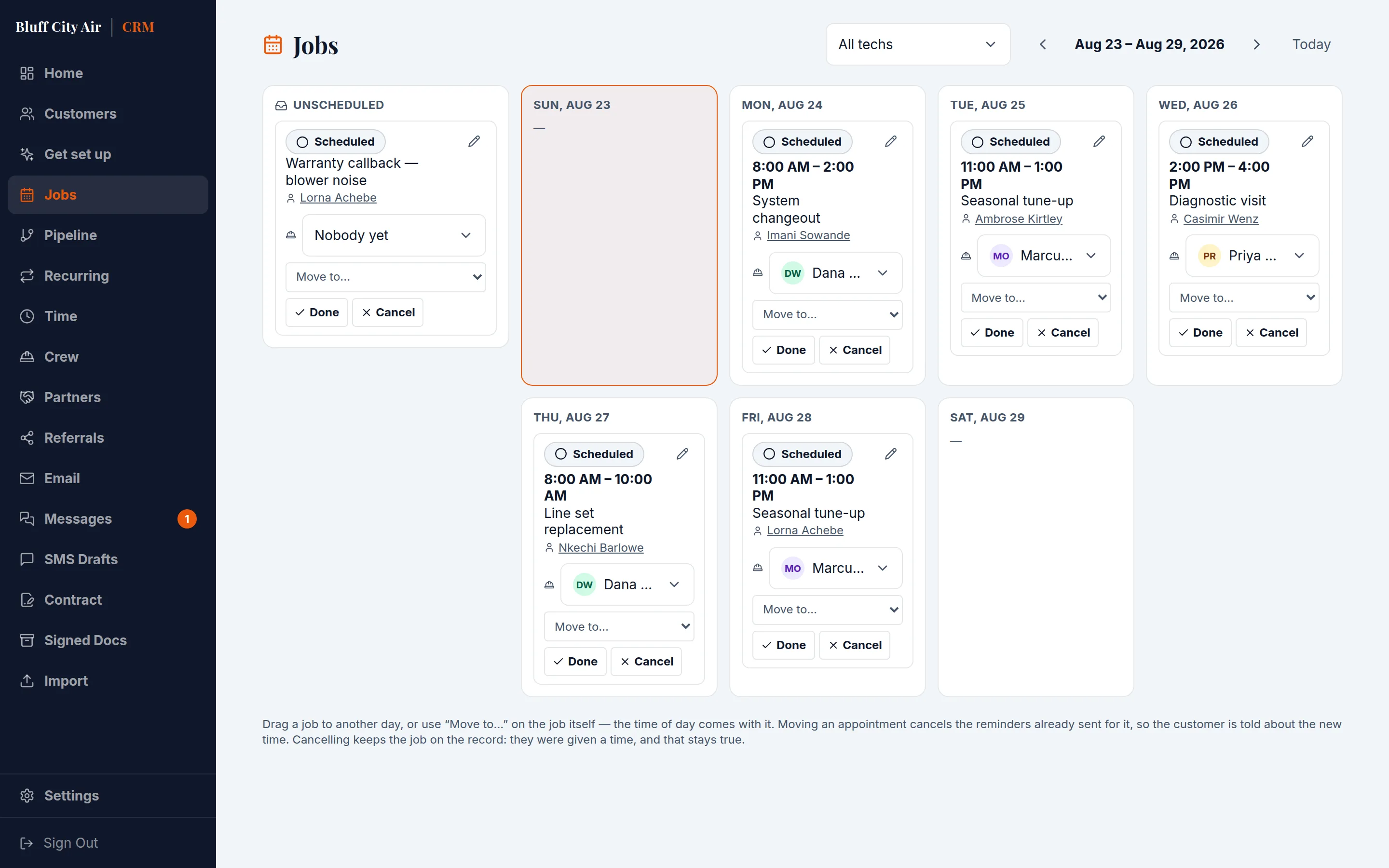
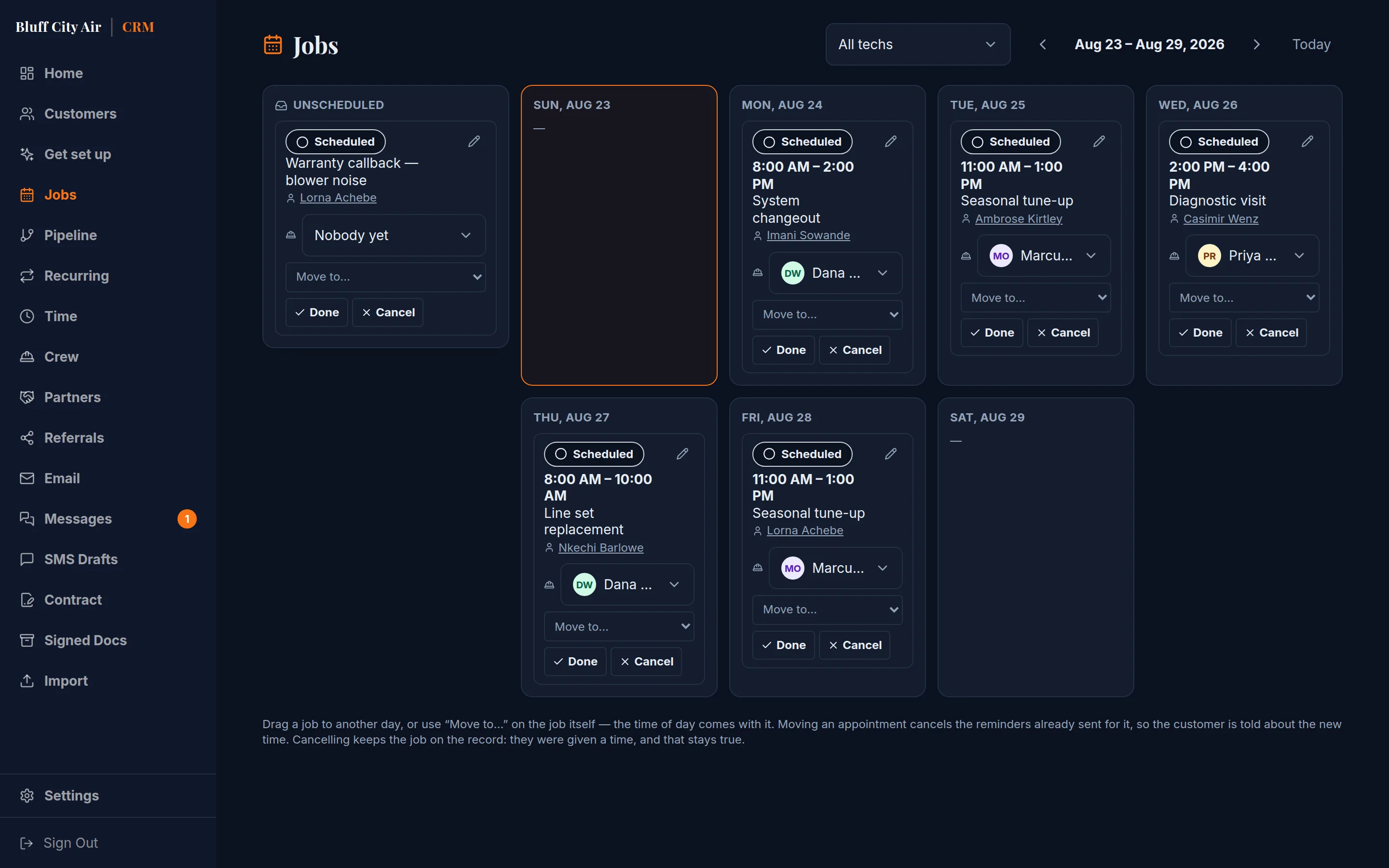
Signed & deposit paid
Signed from the driveway. The document is frozen exactly as they saw it, and the card is on file for the balance.
“Relayhand started as the system one drainage contractor built to run their own jobs — it ran a real business before it was ever sold to anyone.”
- No per-user fees
- 14-day free trial
- Your branding, not ours
The work is the easy part.
The quote sits in a notes app. The contract is a PDF someone has to print. The deposit is a cheque that has not arrived. The lead from Tuesday never got a follow-up because Tuesday was a fourteen-hour day.
None of that is a software problem until it costs you a job. Then it is the only problem.
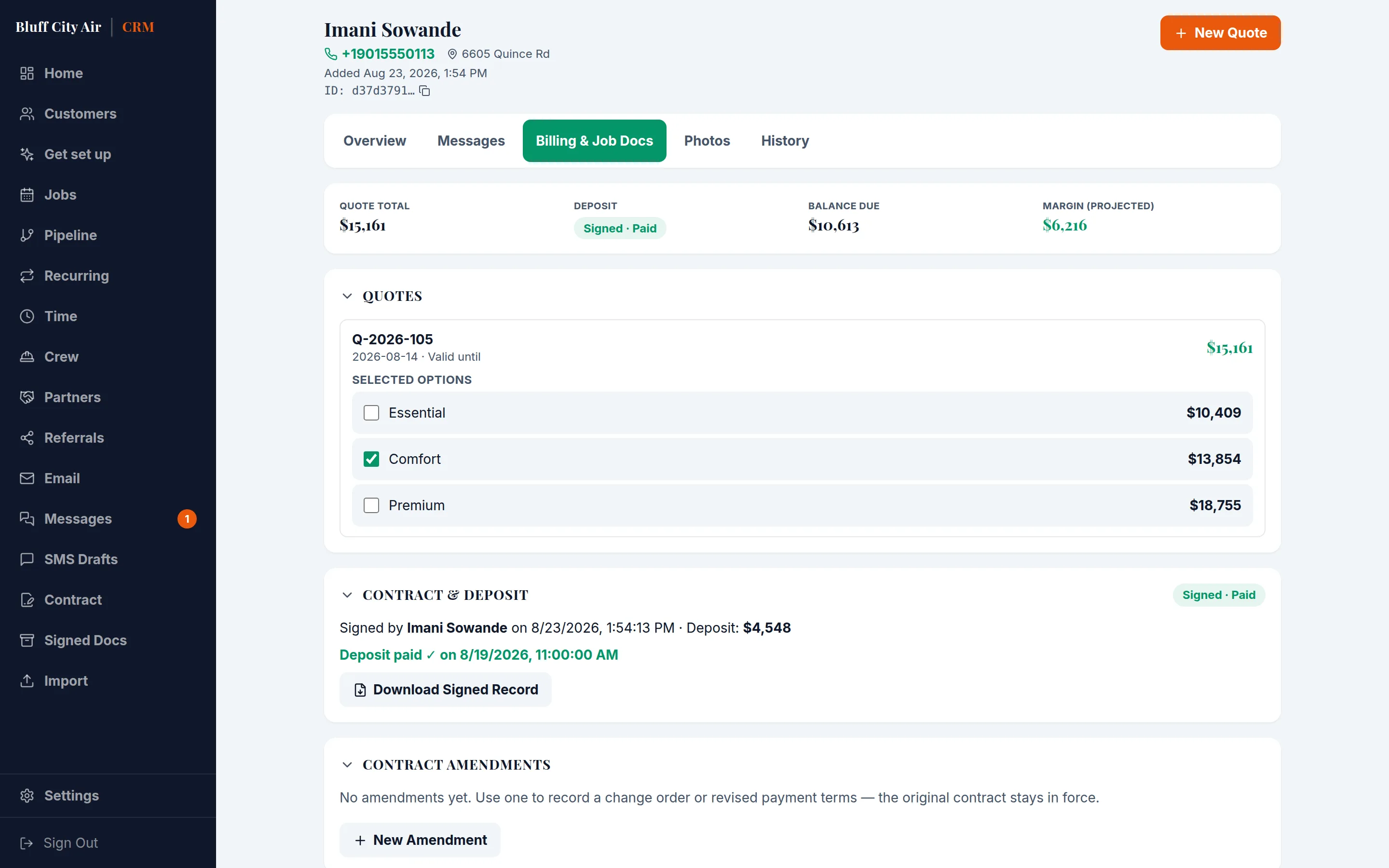
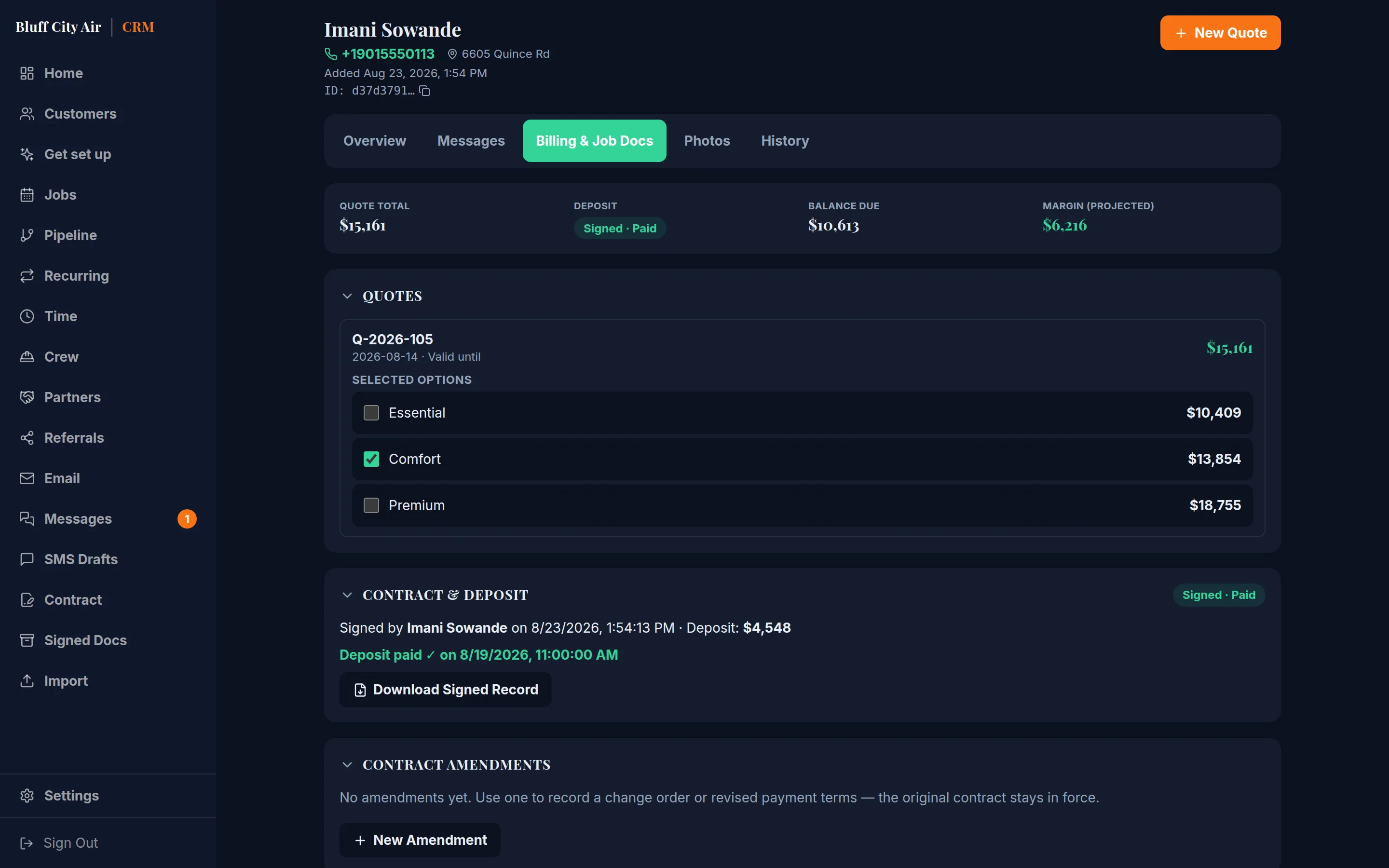
One place, start to finish
Everything between a phone ringing and money landing.
In the order it actually happens.
Quotes that look like you meant it
Build a quote with tiered options, send it as a PDF, and watch it move through your pipeline. Your name, your logo, your prices.
How it works →
Contracts signed on a phone
The customer taps a link and signs from the driveway. The signed document is frozen exactly as they saw it — nothing can change under them afterwards.
How it works →
Deposits before you dig
Take a card with the signature. Charge the balance when the job is done, against the card already on file.
Follow-up that actually happens
Drafted for you when a lead goes quiet, held for your approval. Nothing is sent to a customer without you reading it first.
How it works →
Signed and paid before you pull away.
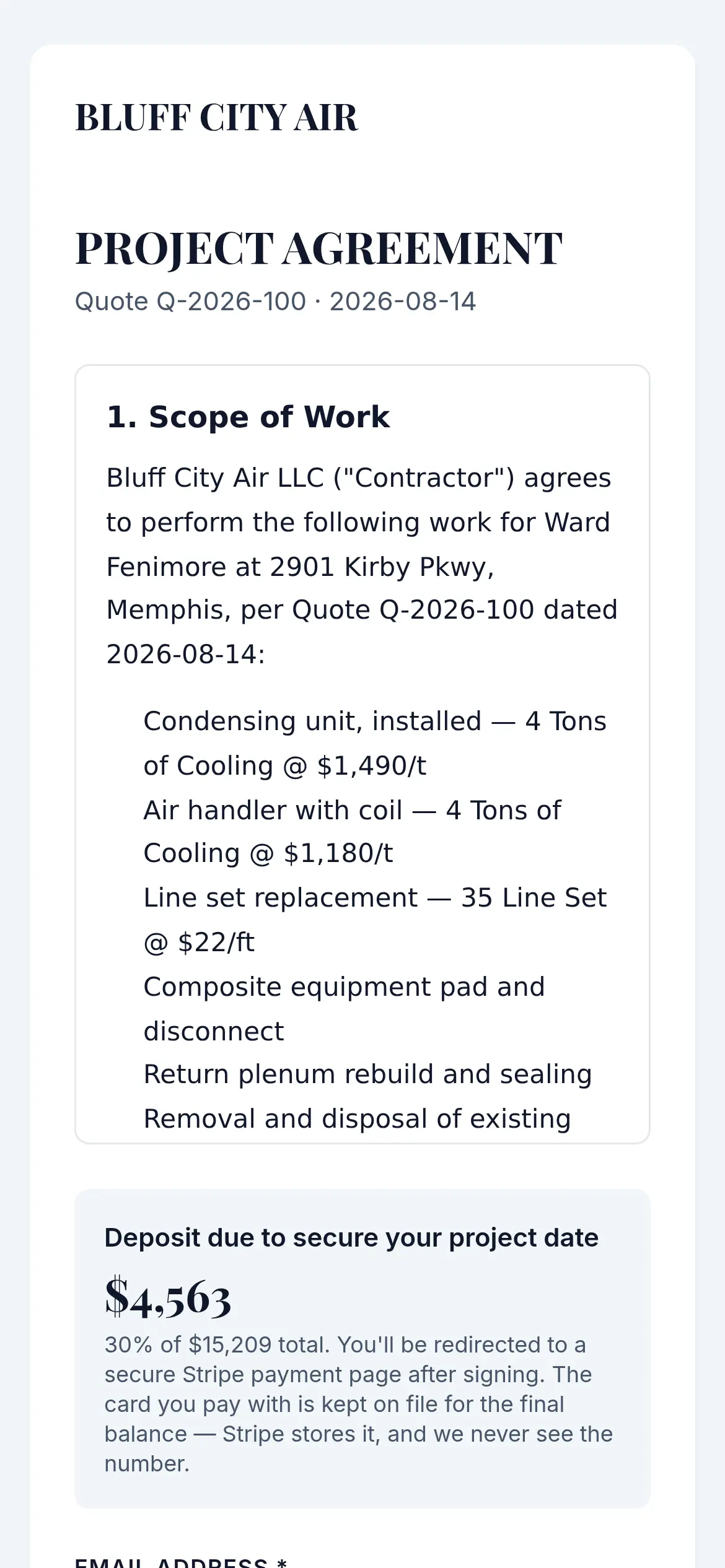
The contract goes out as a link. It opens on the phone already in their hand — the scope of work, the price, what the deposit is — and they sign by typing their name. No printer, no scanner, no second visit to collect a signature.
- The signed copy is frozen and kept, exactly as they saw it
- The deposit is paid on the same screen
- You get told the moment it happens
How it works
A lead comes in
From a call, a text, or your own website. It lands in one place with the address and the history attached.
You send a quote
Options priced the way you price them. The customer picks one and signs it without printing anything.
You get paid
Deposit at signature, balance at completion, and a record of both that matches what they agreed to.
And the work that comes back
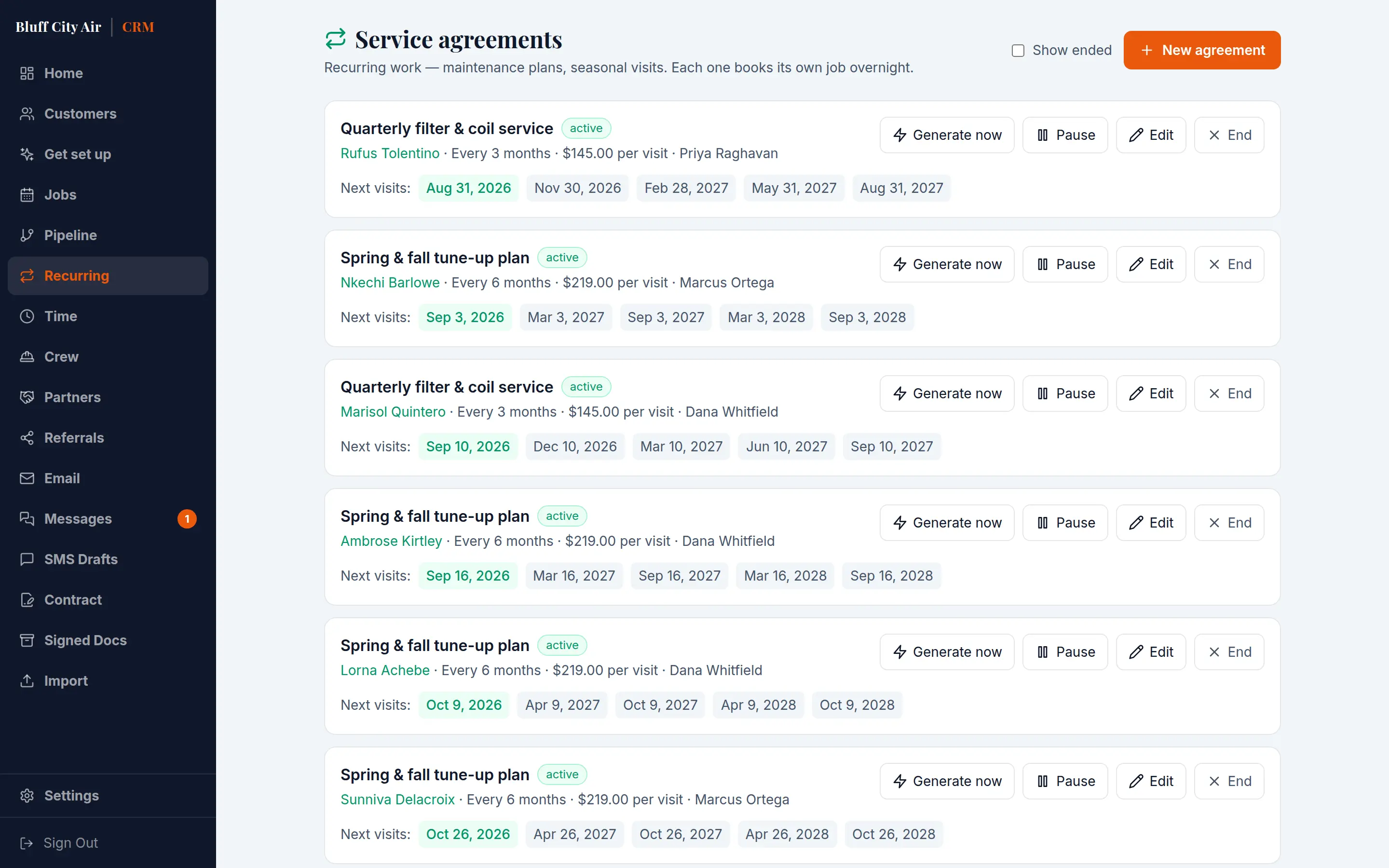
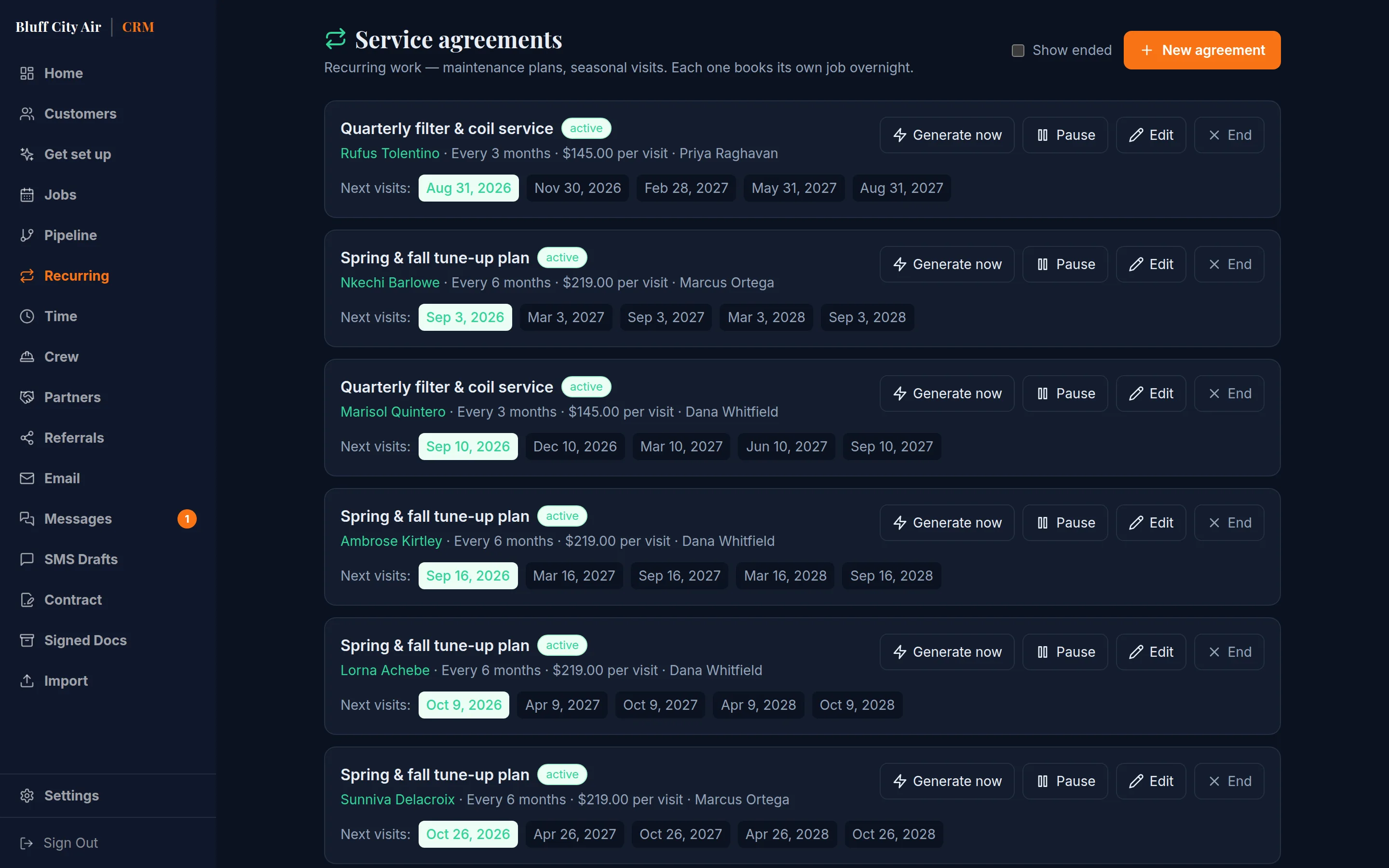
Maintenance contracts book their own next visit, assign a technician and raise the invoice when the visit is done — on a cadence you set once. Nobody has to remember in six months, which is the only way it actually happens.
For whoever is driving to the house
Your crew sees the work, not the money.
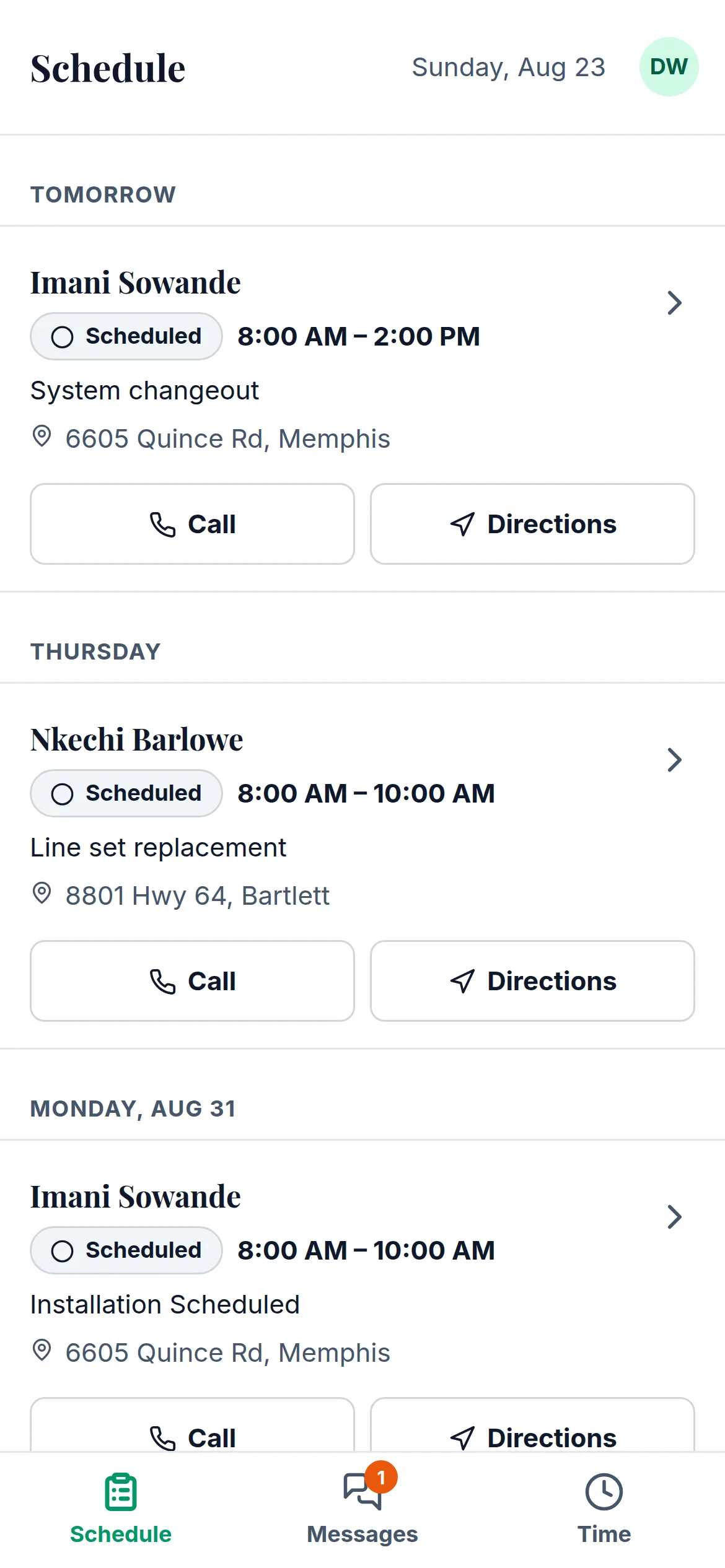
A separate app for the field, on the phone that is already in their pocket. Big targets, high contrast, and the next fortnight of their own jobs — not a shrunk-down copy of the office screen.
- The scope of work, priced out of view. They see what was sold and what to do. The dollar figure stays off a screen held up in somebody’s driveway.
- It keeps working in a crawlspace. Notes and job updates queue up with no signal and send themselves on the drive back.
- Photos, both directions. They add photos from the job, and they can see the ones taken last time they were there.
And the rest of the week
The parts nobody chose this job for. They are here because they have to happen somewhere, and somewhere should not be four apps and a shoebox.
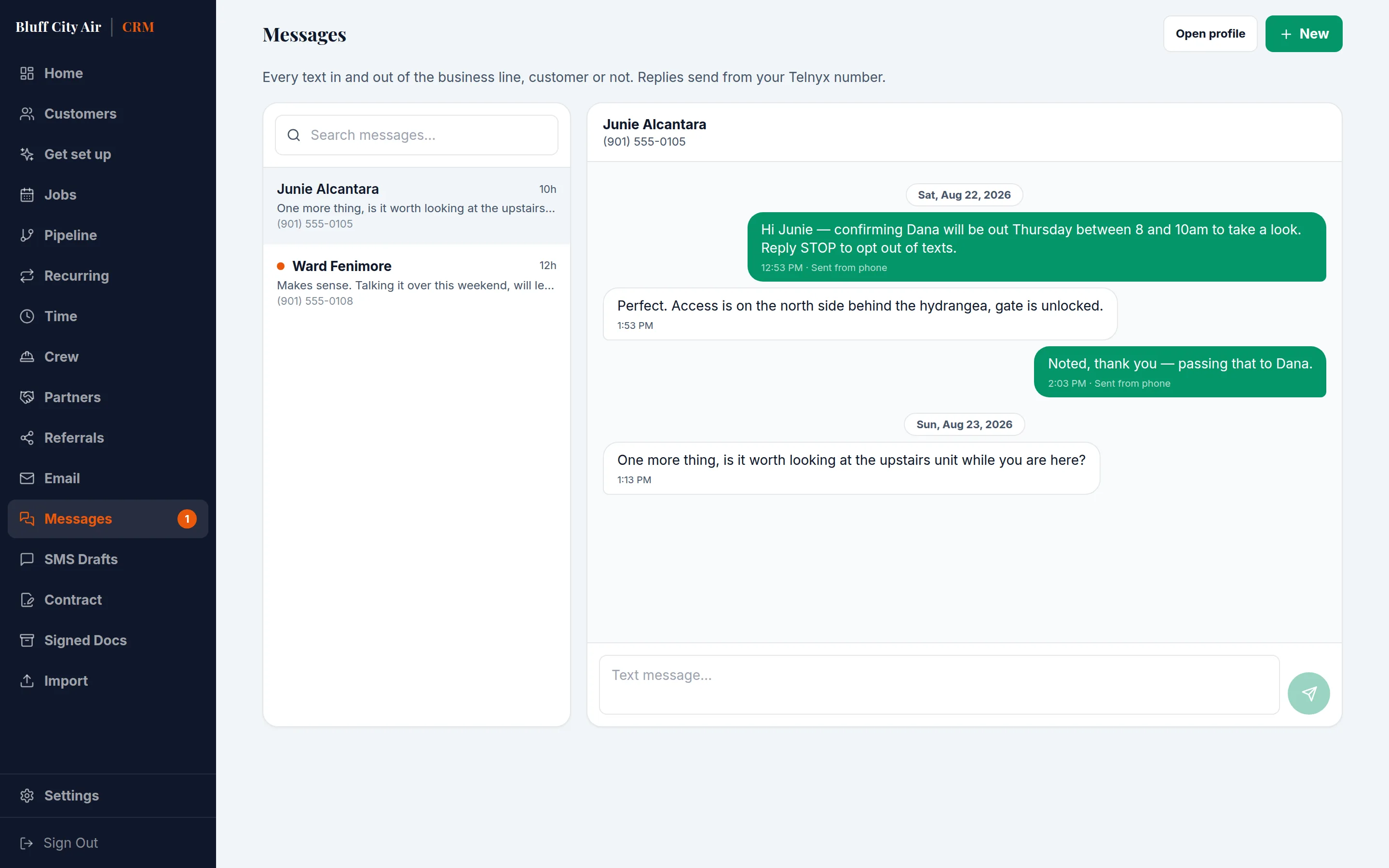
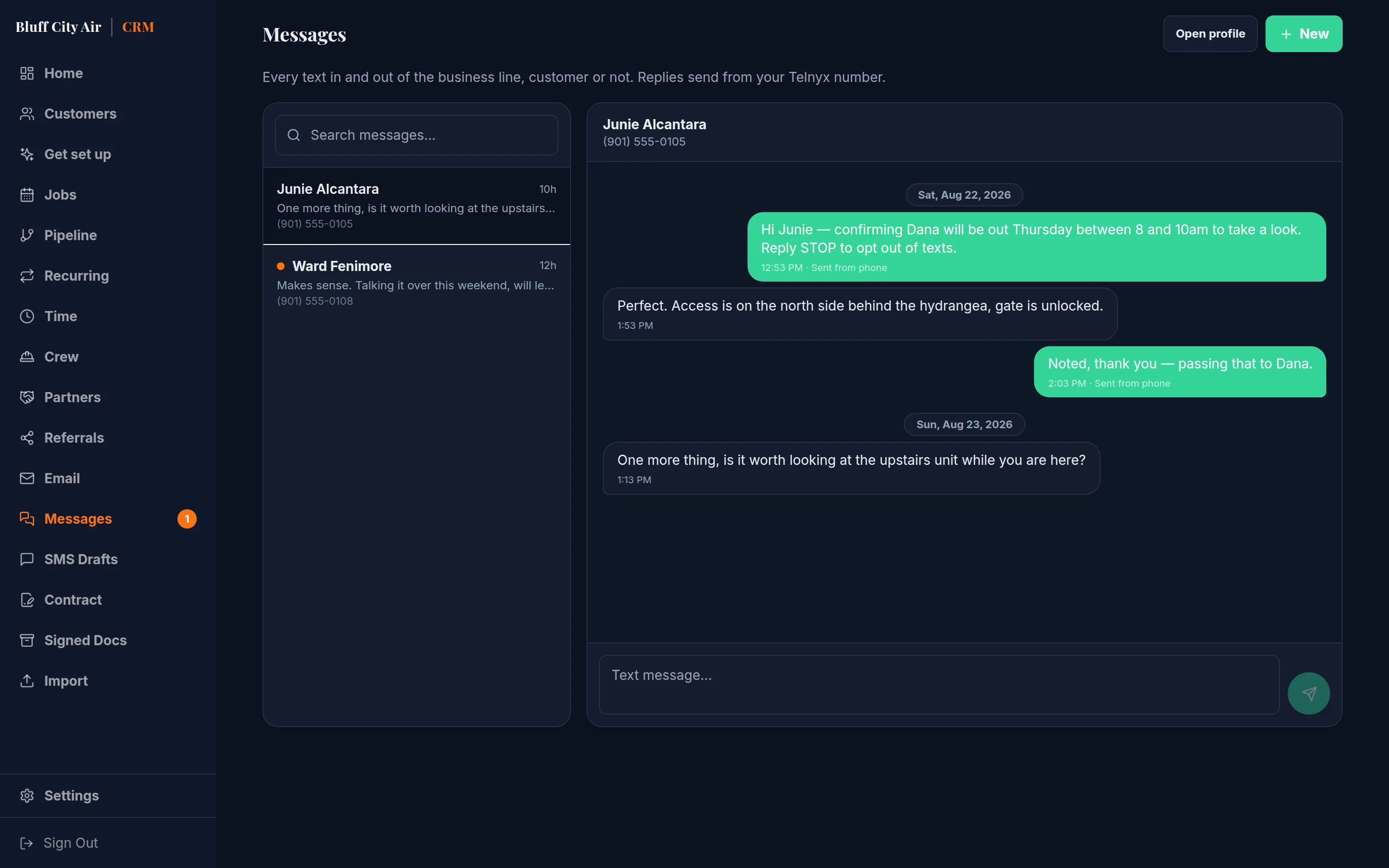
Every text in one inbox
Customer or not, in or out, the whole office sees the same thread — and a reply lands against the customer it came from instead of on somebody’s personal mobile.
What the job actually made
Log materials and subcontractors against the job as they happen, and see the margin next to the price you quoted — before you bid the next one the same way.
Hours, on the clock
Crews clock in and out on their phones. Corrections are allowed and the original is kept, which is the only way the record is worth anything at payroll.
Signed documents, kept
Every signed contract is frozen as a PDF the moment it is signed, hashed, and re-checked nightly against the stored bytes — so the copy you produce in two years is provably the one they signed.
Ask it anything
Ask for last quarter’s revenue by service, or which leads went quiet, and get the arithmetic done by the database rather than guessed at.
Your branding on all of it
Quotes, contracts and invoices go out as your business, from your domain once you connect it. The customer never sees ours.
More on scheduling and the calendar, recurring service agreements, and job costing and expenses.
One price, everything in it
No per-user fee stacked on top.
No add-on for the feature you came for. 14 days free, and no card to start.
Solo
One person, running the whole thing.
$49/month
- 1 user included
- 500 texts a month
- No AI receptionist
- Customers, quotes, contracts and invoices
- E-signature and card deposits
- 500 text messages a month
- Your branding on every document
- Offline-capable field app
Most contractors start here
Crew
A few people in the field and somebody in the office.
$149/month
- 5 users included
- 2,000 texts a month
- 300 AI receptionist minutes
- Everything in Solo, for five people
- AI receptionist — 300 minutes a month
- 2,000 text messages a month
- Scheduling, job costing and time tracking
- Recurring service agreements
Shop
Multiple crews, and enough work that dispatch is a job.
$299/month
- 15 users included
- 6,000 texts a month
- 1,000 AI receptionist minutes
- Everything in Crew, for fifteen people
- AI receptionist — 1,000 minutes a month
- 6,000 text messages a month
- Your own texting number and sending domain
- Priority support
Card processing, if you take payments online, is the payment processor’s own rate billed by them directly. We add nothing on top of it.
Seats, cancelling, and what happens if a payment fails — the full pricing page.
Already paying for this somewhere else?
Most of the category charges per user and sells the AI answering, the pipeline and the proposal tool as monthly add-ons. Work out what you would actually pay, at your crew size, against what you pay now.
Bringing your customers with you: importing a CSV without texting strangers.
You can let an assistant run it
Ask it to do the work. Watch what it is allowed to touch.
Connect Claude and ask it to text back the three quotes that went quiet, move Thursday’s inspection to Friday, log a receipt against a job, send the final invoice on a finished one, or tell you what is owed this week. It works your CRM directly — and it cannot spend your customers’ money on a misheard sentence.
Anything involving money asks twice
A charge is previewed first and executed second, against a token bound to the exact amount and customer. A confirmation for $4,200 cannot execute $42,000.
A ceiling you set
A daily limit on what can be charged and how many money operations can run at all. Both default on, before you have configured anything.
A log that cannot be edited
Every action is written before it runs and again after, to a table the database refuses to update or delete — including from us.
You choose what it may touch
Switch off invoices and payments, or messaging, or everything but reading. It can only ever be narrower than the person whose access it is using.
Every switch, ceiling and log entry, in detail: letting an assistant run it. How your records are separated from every other business here, and what our own staff can and cannot see: security and data.
Questions
What kind of business is this for?
Field service work that gets quoted before it gets done. Built with Drainage & Foundation, Roofing, HVAC, Plumbing, Electrical, Landscaping & Hardscaping, Pest Control and Pool Service in mind, and just as workable for anything nearby — you build your own price list once, in Good/Better/Best tiers, and every quote after that reuses it. If your day runs from a site visit to a quote to a deposit, it fits.
Do my customers need an account?
No. They receive a link, read the agreement, sign it and pay. There is nothing to download and nothing to sign up for.
Is the contract legally binding?
Signatures are captured under the federal ESIGN Act, and the exact document shown at signing is stored as a permanent record. That said, the terms themselves are yours — set them with your own lawyer, then load them in.
Can I use my own contract wording?
Yes. The contract is a template you edit, not code. Published versions are frozen, and a quote is pinned to the version it was sent under — so editing your template never changes an agreement a customer already has.
What does it cost?
Solo is $49 a month for one person, Crew is $149 for five, Shop is $299 for fifteen. That is the whole price — there is no per-user fee stacked on top and no add-on for the feature you came for. Card processing, when you take payments online, is the payment processor’s own rate billed by them directly — we add nothing on top of it.
What happens when the trial ends?
Your workspace stays exactly as it is and stays readable. You keep every customer, quote and document, and contracts you have already sent stay live for your customers to open, sign and pay. What stops is making new changes, until you pick a plan. We email you before it happens rather than letting you find out mid-quote.
Do I need a card to start?
No. Fourteen days, no card, no call. If you want to keep going, you choose a plan from inside the app.
Start with your next quote
Set up your business details, build one quote, and send it. That is the whole trial.